
Codepen Blog
  • Home
  • About us
  • Contact us
Codepen Blog
  • Home
  • About us
  • Contact us
Tuesday, September 29, 2026
Top Posts
AI Logo Generator 2026: 10 Ultimate Tools Ranked
Ultimate Guide to install and setup WordPress multisite
Upload WordPress From localhost to live server in 2024
Top 10 Best WordPress Themes for Woocommerce in 2024
Creating a Complete Homepage Using Divi AI – Step by Step...
The Ultimate Guide to Self-Hosted WordPress Website
Top 11 WordPress Mobile Plugin for Optimal Usage in 2024
Discover the Top 6 Best WordPress Review Plugin of 2024
How to use ftp or sftp server to transfer files in...
SSH-ing into a Docker container: a step-by-step guide
SUBSCRIBE NEWSLETTERS
Codepen Blog
Codepen Blog
  • Contact us
Copyright 2021 - All Right Reserved
Blogs

Adding Labels Above the Fields in Divi’s Contact Form Module: A Step-by-Step Guide

by developershohel July 5, 2023
written by developershohel July 5, 2023 Pay Writer
634

“The Divi Contact Form Module serves as a convenient and user-friendly tool, allowing visitors to easily get in touch while providing you with valuable information. By default, the module displays field labels within the input fields, but if you prefer a customized design with labels positioned above the form fields, you can achieve this effortlessly through the implementation of CSS.

You Might Be Interested In
  • 3 Easy Methods for Creating an Alert Bar in WordPress
  • 2023: A Comprehensive Handbook for All Your Needs
  • Step-by-Step Guide: Creating Your Own Price Comparison Website
  • Step-by-step Guide: Crafting a Product Catalog in WordPress
  • Experience Your Favorite Ecommerce Platform With Cloudways: Test Our Magento Demo Store Now!
  • WordPress Conversion Tracking: A Comprehensive Guide for Beginners

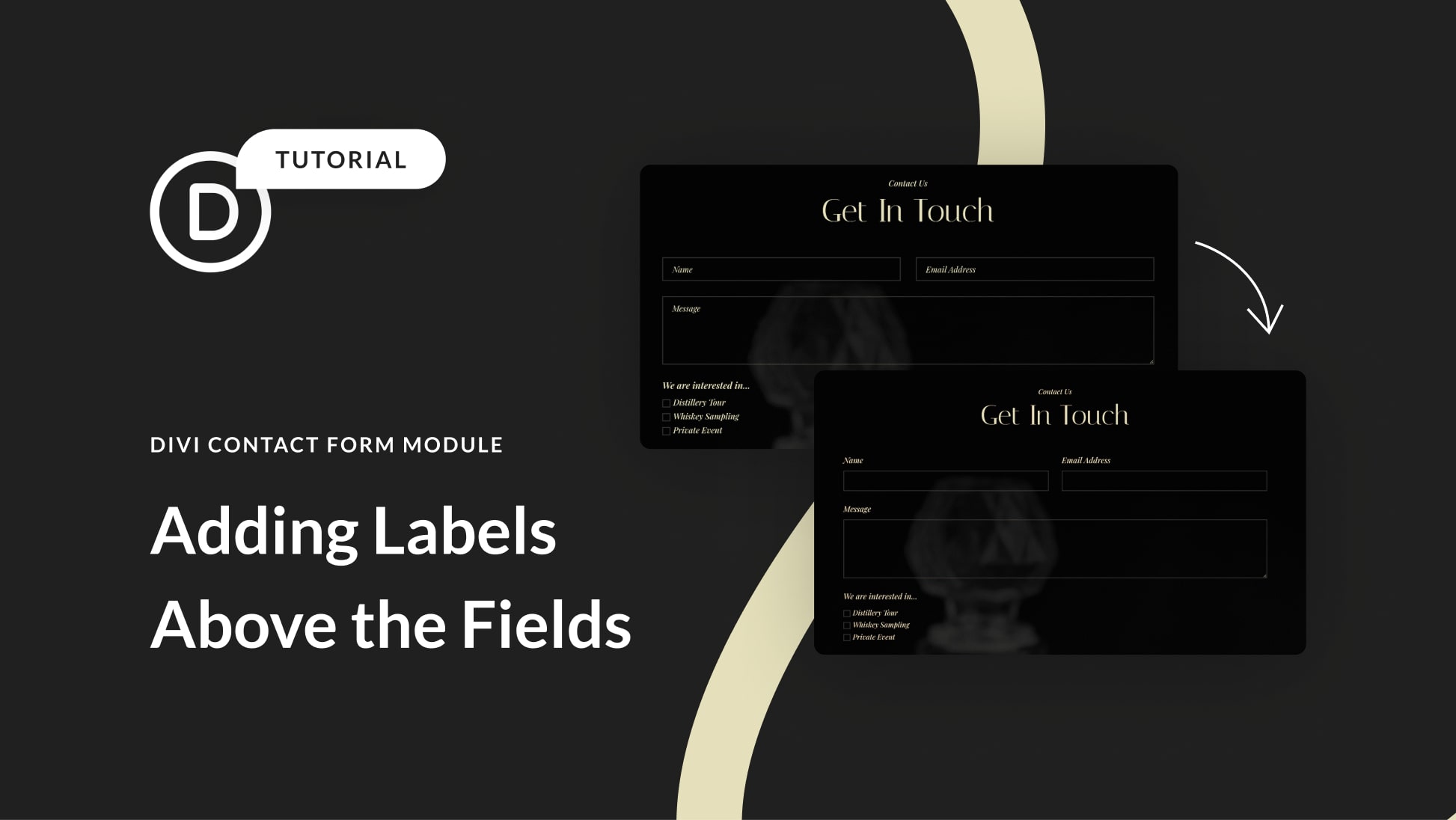
Our goal is to transition from the default layout:

[Default Layout Image]

To the customized design:

[Customized Design Image]

To make this transformation, follow the step-by-step guide below:

1. **Enable Visual Builder:**
Go to the page containing the contact form and enable the Visual Builder.

2. **Access Page Settings:**
Expand the Divi toolbar at the bottom and click the gear icon to access page settings.

3. **Insert Custom CSS:**
Navigate to Advanced > Custom CSS and insert the following CSS code:

“`css
/* Display labels above form fields */
.et_pb_contact_form_label {
display: block;
color: transparent;
display: none;
}
“`

4. **Add Font Styling and Adjustments:**
Paste the CSS code into the Custom CSS box. To ensure proper font styling and eliminate duplicate titles above dropdown fields, add the following lines:

“`css
/* Additional styling for font and dropdown field title */
.et_pb_contact_form_dropdown .et_pb_contact_form_label {
display: block;
font-family: ‘Playfair Display’;
color: #E7E2BC;
font-size: 15pt;
font-style: italic;
margin-bottom: 15px;
}
“`

By following these steps, you will successfully achieve the desired result of having labels above the form fields.

**For Global Application:**
To apply this design across all contact forms on your website, incorporate the CSS code in one of the following locations:

1. Your child theme’s style.css stylesheet.
2. The Custom CSS block in Divi > Theme Options.
3. The Theme Customizer.

Congratulations! You have now mastered the technique to position labels above fields in Divi’s Contact Form Module. For further guidance and resources on styling the contact form module, explore our collection of tutorials.”

Pay Writer

Buy author a coffee

Pay Writer
Divi Contact Form ModuleDivi modulesDivi ResourcesDivi Tutorial
0 comments 0 FacebookTwitterPinterestEmail
developershohel

previous post
WordPress Conversion Tracking: A Comprehensive Guide for Beginners
next post
Adding GTIN, ISBN, and MPN Schema in WooCommerce and WordPress: A Step-by-Step Guide

Related Posts

How to improve Website Performance & Speed Up...

February 20, 2024

10 Best WordPress Image Optimization Plugins in 2024

February 20, 2024

Top 5 hosting to WordPress Staging Site with...

December 29, 2023

Writing a Blog Post Using AI in WordPress...

August 20, 2023

10 Useful Ways to Utilize AI in WordPress

August 19, 2023

Ultimate Guide on How to Add 2FA Authentication...

August 18, 2023

Comparison of the Top 6 Best WooCommerce Shipping...

August 18, 2023

Top 7 Link Tracking URL Shorteners for WordPress

August 18, 2023

2 Simple Methods to Highlight Text in WordPress

August 18, 2023

Comparison of the Top 5 Managed MySQL Hosting...

August 17, 2023

Leave a Comment Cancel Reply

Save my name, email, and website in this browser for the next time I comment.

* By using this form you agree with the storage and handling of your data by this website.

Weather

New York
broken clouds
86%
4.5km/h
58%
16°C
17°
15°
16°
Tue

Recent Posts

  • Esthetician Layout Pack for Divi: 2026 Ultimate Guide

    September 27, 2026
  • WordPress Menu Feature: 7 Proven Secrets for 2026 Success

    September 27, 2026
  • Generational Marketing 2026: 7 Proven Millennial vs Gen Z Tactics

    September 27, 2026
  • Kinsta API 2026: Ultimate Guide to Automate WordPress Sites

    September 27, 2026
  • Shoulder Surfing Defense: 9 Proven Tactics for 2026

    September 27, 2026

STAY TUNED WITH US

Sign up for our newsletter to receive our latest blogs.

Get Best Web Hosting and Services for your Business

Hostinger

Hostinger

Bluehost

Bluehost

WP Engine

Name.com

Name.com

Resources

  • Developer Shohel
  • Url Shortener
  • All in One Online tools
  • Secure Cloud Storage
  • Books
  • Fashion Product
  • IT Blogger

Company

  • Privacy Policy
  • Refund Policy
  • Terms and Conditions
  • Cookie Policy
  • Contact us
  • About us

Most read

Esthetician Layout Pack for Divi: 2026 Ultimate Guide
September 27, 2026
WordPress Menu Feature: 7 Proven Secrets for 2026 Success
September 27, 2026
Generational Marketing 2026: 7 Proven Millennial vs Gen Z...
September 27, 2026
Codepen Blog | Top blogs for WordPress and Web Development
Facebook-f Twitter Instagram Linkedin Behance Github

@2024 – All Right Reserved. Designed and Developed by Developer Shohel

Codepen Blog
  • Home
  • About us
  • Contact us
Codepen Blog
  • Home
  • About us
  • Contact us
@2021 - All Right Reserved. Designed and Developed by PenciDesign

Read alsox

WordPress Conversion Tracking: A Comprehensive Guide for...

July 4, 2023

An Honest Compare: Top 10 Best Web...

July 31, 2023

Today, Explore 5 Effective Methods for Immediate...

August 1, 2023
Sign In

Keep me signed in until I sign out

Forgot your password?

Do not have an account ? Register here

Password Recovery

A new password will be emailed to you.

Have received a new password? Login here

Register New Account

Have an account? Login here

Shopping Cart

Close

No products in the cart.

Return To Shop
Close