

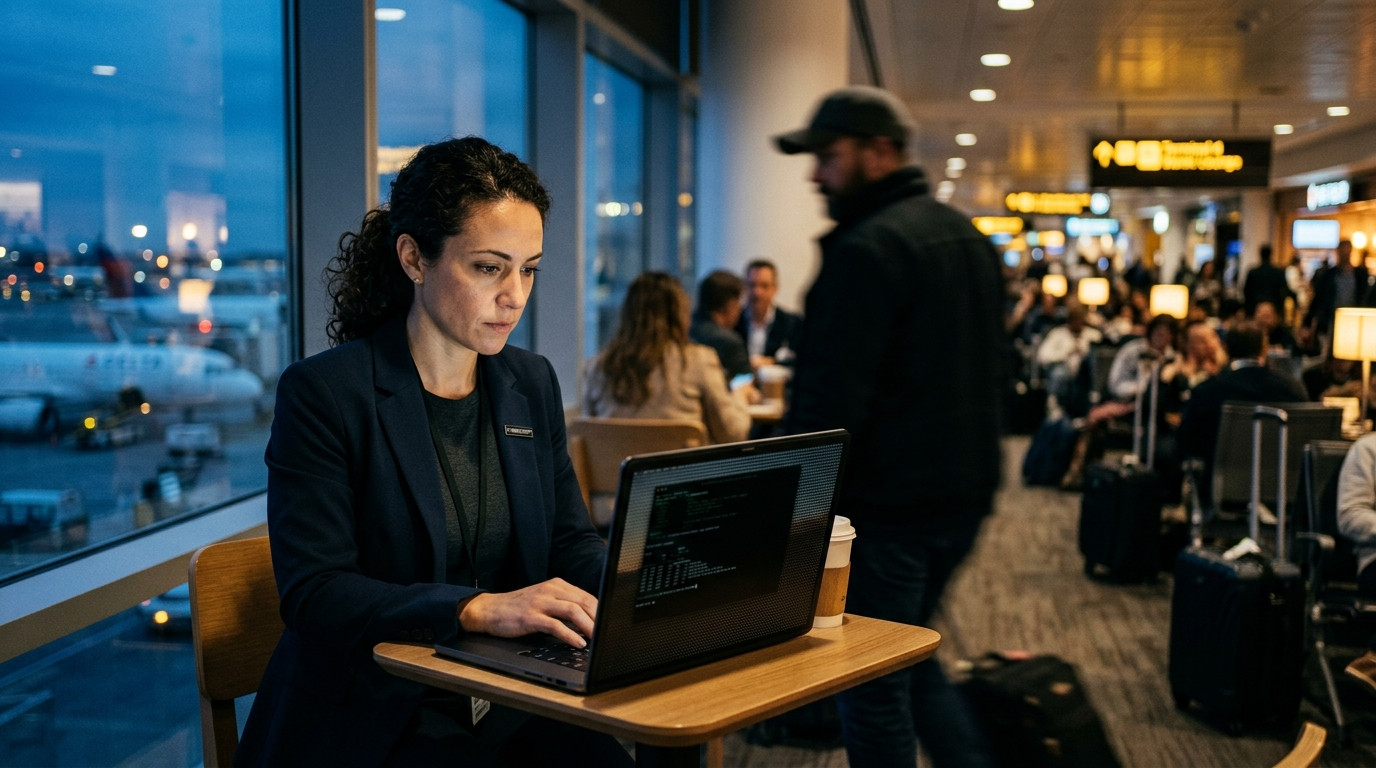
Shoulder surfing remains one of the most underrated attack vectors in 2026, quietly bypassing encryption, MFA, and every zero-trust control you have deployed. It does not exploit a CVE, it exploits human geometry, proximity, and inattention. This guide dissects the modern shoulder surfing threat landscape and delivers a hardened, layered defense playbook you can implement today.
The economics of visual data theft have shifted dramatically since the mid-2020s. Cheap 4K telephoto lenses, consumer drone cameras, and AI-powered video analytics now let an attacker extract a six-digit PIN from a 40-meter distance with a single frame. Meanwhile, the attack surface has exploded: hybrid work means your engineers type production credentials in airport lounges, your finance team approves wire transfers from coffee shops, and your executives read board decks on transatlantic flights. Shoulder surfing is no longer a physical-security footnote, it is a board-level risk that intersects with insider threat, social engineering, and regulatory compliance. What follows is a complete, technically grounded framework covering threat modeling, hardware countermeasures, software hardening, operational tradecraft, and incident response, written for security engineers, IT administrators, and privacy-conscious power users who need actionable depth rather than generic advice.
Understanding the 2026 Shoulder Surfing Threat Model
Shoulder surfing in 2026 is best understood as a family of observation-based attacks rather than a single technique. The classic over-the-shoulder glance is now the least sophisticated variant. Modern adversaries deploy long-range optics, wearable cameras disguised as everyday objects, and even machine-learning pipelines that reconstruct keystrokes from video of hand movements. Security researchers have demonstrated keystroke inference attacks that achieve over 90 percent accuracy on standard QWERTY layouts using only webcam footage, which means any camera pointed at your hands is a potential credential exfiltration device. The threat model must therefore account for both human observers and automated visual sensors.
The attack surface spans four distinct observation channels: direct line-of-sight, reflected surfaces, captured imagery, and electromagnetic or acoustic side channels. Direct line-of-sight covers the traditional shoulder surfer standing behind you at an ATM. Reflected surfaces include windows, glossy screens, eyeglasses, and even polished conference tables that mirror your display. Captured imagery encompasses phone cameras, security cameras, drones, and smart glasses. Side channels, while technically distinct, often accompany visual attacks and include screen emanations and keyboard acoustics. A robust defense must address all four channels simultaneously because attackers will always gravitate to the weakest one.
Risk varies enormously by context, and treating all environments equally leads to security fatigue. A threat model should weight three variables: the sensitivity of the data displayed, the density and trustworthiness of nearby observers, and the duration of exposure. Reading a public news site on a train is low risk. Entering a root password on a production database while sitting in an open-plan coworking space is extreme risk. Mapping your daily workflows against these variables reveals which activities demand active countermeasures and which can safely rely on passive defaults.
The insider dimension deserves special attention because it inverts many assumptions. A malicious colleague seated at the adjacent desk has unlimited observation time, knows your schedule, and can position themselves strategically without raising suspicion. Insider shoulder surfing frequently precedes larger data exfiltration campaigns, with the initial credential capture serving as the beachhead. Organizations should therefore treat visual privacy as part of their insider threat program, not merely a physical security concern handled by facilities teams.
Regulatory pressure has also intensified. Under frameworks like GDPR, HIPAA, and the newer state-level privacy statutes, a shoulder surfing incident that exposes protected data can trigger breach notification obligations, fines, and litigation. The 2026 enforcement climate treats negligent visual exposure of customer data as a preventable failure, particularly when reasonable countermeasures like privacy filters were available and not deployed. Documenting your shoulder surfing controls is now as important as implementing them.
Finally, recognize that shoulder surfing is often a reconnaissance step rather than the end goal. A captured PIN, password, or API token feeds downstream attacks: account takeover, lateral movement, financial fraud, or extortion. Defenders who focus only on the moment of observation miss the broader kill chain. Effective mitigation requires assuming that any visually exposed secret is already compromised and building detection and response capabilities around that assumption.
Physical Countermeasures That Actually Work
Privacy filters remain the single highest-leverage physical control, but the technology has matured considerably. Modern 2026 privacy films use micro-louver technology that narrows the viewing angle to roughly 30 degrees while maintaining full brightness and color accuracy for the primary user. Older filters dimmed displays by 30 to 40 percent and introduced color shift, which caused widespread abandonment. Current magnetic attachment systems let you snap a filter on for a flight and remove it for a desk presentation in under two seconds, eliminating the friction that killed adoption in previous generations.
Screen positioning is a free and frequently overlooked defense. Angling your display away from walkways, seating yourself with your back to a wall, and avoiding positions where windows or mirrors reflect your screen all reduce exposure without any hardware cost. In coworking spaces, choose seats that face a solid partition rather than an open room. In airport lounges, the corner seat with a wall behind you is worth arriving early for. These positional habits compound over time and cost nothing but intentionality.
For high-value transactions, physical occlusion devices provide deterministic protection. Purpose-built privacy hoods, collapsible laptop shields, and even a simple scarf draped over the shoulder create a hard visual barrier. Banks in several European markets now issue portable card-sized privacy shields for ATM use. The principle is straightforward: if an attacker cannot see the screen, no amount of optical zoom or AI reconstruction helps. Occlusion is the only countermeasure that is immune to camera resolution improvements.
Biometric and hardware authenticators reduce the value of any single observed secret. A captured password is far less dangerous when the account also requires a FIDO2 security key or a platform passkey bound to a specific device. In 2026, passkeys have become the default authentication primitive across major platforms, and their phishing-resistant, device-bound nature means a shoulder-surfed credential alone cannot grant access. Pairing visual privacy with hardware-backed authentication creates defense in depth that survives even a successful observation.
Environmental design matters at the organizational level. Privacy screens between hot desks, monitor orientation standards, and designated secure zones for sensitive work all reduce ambient exposure. Some enterprises now deploy acoustic and visual privacy pods for financial approvals and HR conversations. These investments pay for themselves by reducing incident frequency and by satisfying auditors who increasingly ask pointed questions about visual privacy controls during SOC 2 and ISO 27001 assessments.
Table: Physical countermeasure effectiveness matrix
| Countermeasure | Blocks direct view | Blocks cameras | Cost | Friction | Best context |
|---|---|---|---|---|---|
| Micro-louver privacy filter | Yes | Partial | Low | Low | Travel, coworking |
| Screen positioning | Yes | No | None | None | Anywhere |
| Privacy hood or shield | Yes | Yes | Medium | Medium | ATM, high-value |
| Hardware authenticator | N/A | N/A | Medium | Low | All accounts |
| Privacy pods | Yes | Yes | High | High | Enterprise |
Hardening Device and Application Settings
Operating systems now ship with meaningful visual privacy controls that most users never enable. Windows 11 and macOS Sequoia both offer automatic screen dimming when the user steps away, driven by presence detection using the webcam or ultrawideband sensors. Enabling these features means your screen locks the instant you turn your head, closing the window an observer needs to read a password field. On Linux, tools like swayidle combined with hyprlock provide equivalent behavior for Wayland environments, and the configuration is a few lines of declarative config.
Notification previews are a silent data leak. Lock-screen notifications routinely display message contents, email subjects, and two-factor codes that a nearby observer can read in a fraction of a second. Configure all messaging, email, and authenticator apps to show only sender identity on the lock screen, never content. On iOS and Android, this is a per-app setting under notifications. On desktop, disable notification banners entirely during sensitive work sessions or route them to a secondary display that faces away from observers.
Password field masking is necessary but insufficient. The dots that replace typed characters still reveal password length, and the timing of keystrokes can leak information to a trained observer. Where possible, use password managers with autofill so no characters are ever typed in view. For secrets that must be entered manually, consider virtual keyboards that randomize key positions, a feature available in several banking apps and in hardened mobile OS configurations. Randomized layouts defeat both direct observation and camera-based keystroke inference.
Screen sharing and remote support tools introduce a new exposure surface. When you share your screen in a video call, every participant sees exactly what a shoulder surfer would see, often with a recording for later review. Before sharing, close sensitive tabs, disable notification popups, and use application-specific window sharing rather than full-desktop sharing. Several 2026 conferencing platforms now offer automatic blurring of detected sensitive fields, but this should be treated as a supplement, not a replacement, for manual hygiene.
Browser-level hardening closes several gaps. Extensions that mask input fields, block screen-capture APIs, and warn on clipboard access reduce the blast radius of visual exposure. Modern browsers support the documentPictureInPicture and screen capture prevention APIs, which let sensitive web applications detect and block screenshot attempts. For developers building internal tools, implementing these APIs is now a baseline expectation rather than a nice-to-have.
// 2026 baseline: block screen capture and blur sensitive fields
// Works in Chromium 130+ and Safari 18+

async function protectSensitiveView() {
  // Detect and block screen capture attempts
  if ('getDisplayMedia' in navigator.mediaDevices) {
    const original = navigator.mediaDevices.getDisplayMedia;
    navigator.mediaDevices.getDisplayMedia = async function (...args) {
      const confirmed = await requestUserConsent('Screen capture requested. Allow?');
      if (!confirmed) {
        throw new DOMException('Screen capture blocked by policy', 'NotAllowedError');
      }
      return original.apply(this, args);
    };
  }

  // Blur sensitive fields when window loses focus
  const sensitive = document.querySelectorAll('[data-sensitive]');
  window.addEventListener('blur', () => {
    sensitive.forEach((el) => el.classList.add('privacy-blur'));
  });
  window.addEventListener('focus', () => {
    sensitive.forEach((el) => el.classList.remove('privacy-blur'));
  });
}

protectSensitiveView();
Authentication Strategies That Neutralize Observed Credentials
Multi-factor authentication is table stakes, but not all MFA is equal against shoulder surfing. SMS and TOTP codes are visible on screen and can be captured by the same observer who saw your password, effectively collapsing two factors into one observation. Push-based approvals are better but still vulnerable to a distracted tap. The gold standard in 2026 is phishing-resistant, device-bound authentication using FIDO2 security keys or platform passkeys, where no secret is ever displayed or typed in a way an observer can exploit.
Passkeys deserve particular emphasis because they eliminate the shared secret entirely. The private key never leaves the secure enclave of your device, and authentication requires a biometric or PIN gesture that reveals nothing to an observer. Even if an attacker films your entire login, they capture no reusable credential. Major platforms including Google, Microsoft, Apple, and GitHub now support passkeys natively, and enterprise identity providers have made them the default for new enrollments. Migrating your high-value accounts to passkeys is the single most impactful step you can take against credential theft of any kind.
For accounts that still require passwords, hardware security keys provide a strong second factor that cannot be shoulder-surfed. The key itself is a physical object you possess, and the authentication gesture is a touch that reveals no information. YubiKeys and comparable FIDO2 devices are now standard issue in many enterprises, and consumer pricing has dropped enough that personal adoption is practical. Store the key separately from your laptop so a single theft does not compromise both factors.
Transaction signing adds a critical layer for financial and administrative actions. Rather than approving a session, you approve a specific transaction with its amount and recipient displayed on a trusted device. This defeats session hijacking and ensures that even a fully compromised session cannot authorize an unexpected transfer. Several European banks and enterprise ERP systems now mandate transaction signing for high-value operations, and the pattern is spreading to cloud infrastructure changes.
Recovery flows are the forgotten backdoor. An attacker who observes your password reset process, including security questions and recovery codes, can bypass all your primary defenses. Treat recovery codes like passwords: store them offline, never display them in public, and regenerate them after any suspected exposure. Where possible, disable knowledge-based recovery entirely in favor of hardware-backed recovery or in-person identity verification.
# Generate and store recovery codes securely (2026 workflow)
# Uses age encryption with a hardware-backed key

# Generate 10 single-use recovery codes
openssl rand -base64 60 | fold -w 12 | head -n 10 > recovery-codes.txt

# Encrypt with age using a YubiKey-backed identity
age --encrypt
  --recipient age1yubikey1q...
  --output recovery-codes.age
  recovery-codes.txt

# Shred the plaintext
shred -u recovery-codes.txt

# Verify decryption works before storing the encrypted file offline
age --decrypt --identity ~/.config/age/yubikey.txt recovery-codes.age
Operational Tradecraft for Mobile and Remote Work
Working from public spaces is now normal, which makes operational tradecraft a professional skill rather than a paranoid habit. The core principle is compartmentalization: separate high-sensitivity work from public environments entirely. If a task requires entering production credentials, viewing customer PII, or approving financial transactions, it belongs in a controlled space. Everything else can be done from a coffee shop with appropriate passive defenses. Deciding this in advance prevents the in-the-moment rationalization that leads to exposure.
Seat selection is a discipline worth practicing. Face a wall or partition, never a window or mirror. Avoid seats where a queue forms behind you, such as near a counter or restroom. In trains and planes, the window seat with your screen angled toward the window reduces the angle available to aisle observers. These choices take seconds and dramatically reduce exposure. Frequent travelers often develop personal rules, such as never opening a password manager in an aisle seat, that encode this discipline into habit.
Timing matters as much as location. Sensitive operations are best performed when surrounding activity is low: early morning in a coworking space, mid-flight when cabin lights are dimmed, or after the lunch rush in a cafe. Attackers rely on crowds for cover and on your divided attention. Performing high-risk tasks during quiet periods reduces both the number of potential observers and the likelihood that you will be distracted enough to miss one.
Device posture and body language communicate vulnerability. Hunching over a screen signals that you are hiding something worth seeing, which can attract attention. A confident, upright posture with the screen angled away is less conspicuous. Similarly, using a privacy filter openly and without apology normalizes the behavior and removes the social friction that causes people to skip it. Security culture is contagious, and visible good habits influence those around you.
Travel-specific threats warrant additional measures. Hotel rooms, conference venues, and airport lounges are known hunting grounds, and some nation-state actors have been documented using shoulder surfing as an initial access technique against traveling executives. Assume that any screen visible in a hotel lobby is visible to someone with hostile intent. Use a travel router, avoid public Wi-Fi for sensitive work, and consider a dedicated travel device that contains no persistent credentials.
{
  "travel_security_profile": {
    "device": "dedicated-travel-laptop",
    "persistent_credentials": false,
    "full_disk_encryption": "LUKS2 with Argon2id",
    "vpn": "WireGuard with hardware key auth",
    "privacy_filter": "magnetic micro-louver",
    "screen_lock_timeout_seconds": 15,
    "notifications": "disabled",
    "clipboard_history": false,
    "usb_ports": "disabled except for hardware key",
    "recovery": "hardware-backed only"
  }
}
Detecting and Responding to Shoulder Surfing Incidents
Detection is the hardest part of shoulder surfing defense because the attack leaves no technical trace. There is no log entry for someone reading your screen. Detection therefore relies on behavioral indicators and environmental awareness. An observer who lingers without an apparent purpose, positions themselves repeatedly at your shoulder, or mirrors your movements is exhibiting classic pre-attack behavior. Training yourself to notice these patterns, without becoming paranoid, is a learnable skill that pays dividends across many threat scenarios.
Organizations should build reporting channels that make it safe to report suspected observation. An employee who notices someone filming their screen should have a clear, blame-free path to report it, and the report should trigger a credential rotation workflow. The goal is to convert a vague suspicion into a concrete response: rotate the exposed credentials, review access logs for anomalies, and adjust physical controls. Without a reporting channel, incidents go unreported and the same attacker succeeds repeatedly.
Post-incident response for a confirmed or suspected shoulder surfing event follows a predictable sequence. First, assume all credentials visible during the exposure window are compromised and rotate them immediately. Second, review authentication logs for the affected accounts for any access from unfamiliar locations or devices. Third, check for downstream indicators such as password reset attempts, new device enrollments, or unusual API calls. Fourth, document the incident and the response for compliance and for improving future controls.
Credential rotation at scale is a technical challenge that benefits from automation. Secrets managers such as HashiCorp Vault, AWS Secrets Manager, and Azure Key Vault support programmatic rotation, and integrating them with your incident response tooling lets you rotate hundreds of credentials in minutes rather than days. For human passwords, identity providers now offer bulk session revocation and forced re-authentication, which invalidates any session an attacker may have established using observed credentials.
Table: Incident response timeline for suspected shoulder surfing
| Phase | Timeframe | Actions | Owner |
|---|---|---|---|
| Triage | 0-30 min | Confirm exposure, identify affected accounts | Reporter + SecOps |
| Containment | 30-60 min | Revoke sessions, rotate credentials | Identity team |
| Investigation | 1-24 hours | Review logs, check for lateral movement | Threat hunting |
| Remediation | 24-72 hours | Deploy additional controls, retrain | Security engineering |
| Review | 1-2 weeks | Update threat model, document lessons | Security leadership |
Building a Personal and Organizational Defense Program
A durable defense against shoulder surfing requires treating it as a program rather than a checklist. Programs have owners, metrics, and review cycles. At the personal level, this means a quarterly review of your authentication methods, a habit of auditing which accounts still rely on passwords, and a periodic reassessment of your physical workspace. At the organizational level, it means integrating visual privacy into your existing security awareness, insider threat, and physical security functions rather than treating it as an orphan concern.
Metrics make the program measurable. Track the percentage of high-value accounts protected by phishing-resistant authentication, the adoption rate of privacy filters among mobile workers, the median time to rotate credentials after a suspected exposure, and the number of reported observation incidents. These metrics reveal whether your controls are actually deployed and whether your reporting culture is healthy. A program with zero reported incidents is more likely to have a reporting problem than a threat problem.
Training must move beyond annual slideshows. Effective shoulder surfing training uses realistic scenarios: a facilitator observes a participant entering a password and then demonstrates how easily it was captured. Experiential learning changes behavior in ways that passive content does not. Some organizations now run live exercises in which a trained observer attempts to capture credentials during normal work, followed by a debrief that reinforces the specific behaviors that would have prevented the capture.
Procurement and IT standards should bake in visual privacy requirements. Specify privacy filters as standard equipment for laptops issued to mobile workers. Require passkey support in any new SaaS procurement. Mandate automatic screen locking with short timeouts on all managed devices. These standards remove the burden of individual vigilance for the most common scenarios and ensure that baseline protection is universal rather than dependent on personal discipline.
Cultural factors determine whether controls survive contact with reality. If using a privacy filter is seen as antisocial or paranoid, adoption will be low regardless of policy. Leaders who visibly use privacy filters, who normalize locking screens in meetings, and who praise rather than mock cautious behavior create an environment where controls are sustained. Security culture is built through consistent small signals, not through mandates alone.
Finally, revisit your threat model as technology evolves. The cameras and AI models available to attackers in 2026 are dramatically more capable than those of even three years ago, and the trajectory shows no sign of flattening. A defense program that was adequate in 2023 may be insufficient today. Schedule an annual review that explicitly considers advances in optical surveillance, video analytics, and wearable technology, and adjust your controls accordingly. The goal is not to eliminate risk, which is impossible, but to keep the cost of attack higher than the value of the target.
Common Pitfalls and Troubleshooting
Even well-intentioned defenses fail in predictable ways, and understanding these failure modes helps you avoid them. The most common pitfall is inconsistent application: using a privacy filter on flights but not in the office, or enabling passkeys on personal accounts but not on work accounts. Attackers exploit inconsistency because they only need one successful observation. The fix is to make the secure behavior the default and the insecure behavior the deliberate exception, rather than the reverse.
Another frequent failure is over-reliance on a single control. A privacy filter does nothing against a camera positioned directly behind you at close range, and passkeys do nothing if you type a recovery code in view. Defense in depth means layering controls so that no single failure is catastrophic. Review your setup against the four observation channels and ensure you have at least one control addressing each.
Friction is the silent killer of security controls. If a control adds more than a few seconds to a common task, users will find workarounds. This is why magnetic privacy filters and passkeys have succeeded where earlier technologies failed: they reduce friction rather than adding it. When evaluating a new control, measure its friction cost honestly and look for implementations that minimize it. A control that is used is worth more than a stronger control that is abandoned.
False confidence in technology is a subtler pitfall. Screen capture prevention APIs can be bypassed by a determined attacker with physical access, and automatic blurring can be defeated by a well-timed screenshot. Treat technical controls as raising the bar, not as absolute guarantees. The most robust protection combines technical controls with physical occlusion and behavioral discipline, so that defeating one layer does not grant access to the next.
Organizational blind spots often stem from ownership ambiguity. Shoulder surfing sits at the intersection of physical security, IT, and security awareness, and without a clear owner it falls through the cracks. Assign explicit ownership, ideally to the security team with support from facilities and HR, and include visual privacy in your risk register. Ambiguity is where threats thrive, and clarity of ownership is the first step toward effective mitigation.
Finally, avoid the trap of treating shoulder surfing as a solved problem once initial controls are deployed. Threats evolve, personnel change, and controls decay. Build review cycles into your program, test your controls periodically, and stay informed about new attack techniques. The organizations that handle shoulder surfing well are not those with the most sophisticated tools, but those that treat visual privacy as an ongoing practice rather than a one-time project.
The 2026 Outlook and Practical Takeaways
The trajectory of shoulder surfing attacks points toward greater automation and lower attacker cost. AI models that reconstruct keystrokes from video are becoming more accurate and more accessible, and consumer hardware with high-resolution cameras is ubiquitous. This means the threshold of skill required to mount a successful attack is dropping, while the potential payoff from captured credentials remains high. Defenders must assume that any screen visible to a camera is potentially compromised and design accordingly.
At the same time, defensive technology is improving. Passkeys are becoming universal, privacy filters are becoming frictionless, and operating systems are building in presence-based locking and capture prevention. The net effect is that the gap between well-defended and poorly-defended users is widening. Those who adopt modern authentication and basic physical controls will be substantially safer than those who rely on passwords and hope for the best.
For individuals, the practical priorities are clear. Migrate your highest-value accounts to passkeys first, since this single change neutralizes the most common shoulder surfing payoff. Add a privacy filter to your mobile work kit and use it consistently. Enable automatic screen locking with a short timeout on every device. Configure notifications to hide content on lock screens. Practice seat selection and screen positioning until it becomes automatic. These steps cost little and deliver disproportionate protection.
For organizations, the priorities are structural. Standardize phishing-resistant authentication across the workforce. Issue privacy filters with every mobile-worker laptop. Build a blame-free reporting channel for suspected observation incidents and automate credential rotation in response. Include visual privacy in your insider threat and physical security programs, and measure adoption through concrete metrics. These investments reduce risk across many threat scenarios, not just shoulder surfing.
Looking ahead, expect regulatory and contractual pressure to increase. Customers and auditors are beginning to ask specific questions about visual privacy controls, and organizations that cannot demonstrate reasonable measures will face friction in procurement and compliance. Building these controls now positions you ahead of the curve rather than scrambling to catch up. The cost of prevention is a fraction of the cost of a breach, both financially and reputationally.
The enduring principle is that security is a practice, not a product. No single tool eliminates shoulder surfing risk, but a layered, consistently applied program reduces it to a manageable level. Combine physical occlusion, modern authentication, device hardening, operational discipline, and incident response into a coherent whole, and you will be far better protected than the vast majority of users and organizations. Start with the highest-leverage changes, build habits around them, and review your posture regularly as the threat landscape continues to evolve.
Related Reading
- Removing Public Information from the Internet: 8 Proven Steps for 2026
- Mobile Commerce 2026: 9 Proven Strategies That Boost Sales
