
Codepen Blog
  • Home
  • About us
  • Contact us
Codepen Blog
  • Home
  • About us
  • Contact us
Wednesday, February 4, 2026
Top Posts
Top 10 AI Logo Generators in 2023 with the Majority Being...
Ultimate Guide to install and setup WordPress multisite
Upload WordPress From localhost to live server in 2024
Top 10 Best WordPress Themes for Woocommerce in 2024
Top 11 WordPress Mobile Plugin for Optimal Usage in 2024
The Ultimate Guide to Self-Hosted WordPress Website
Creating a Complete Homepage Using Divi AI – Step by Step...
SSH-ing into a Docker container: a step-by-step guide
How to use ftp or sftp server to transfer files in...
Top 5 hosting to WordPress Staging Site with plugins in 2024
SUBSCRIBE NEWSLETTERS
Codepen Blog
Codepen Blog
  • Contact us
Copyright 2021 - All Right Reserved
Blogs

Highlighting Divi Masonry Gallery Feature

by developershohel July 31, 2023
written by developershohel July 31, 2023 Pay Writer
332

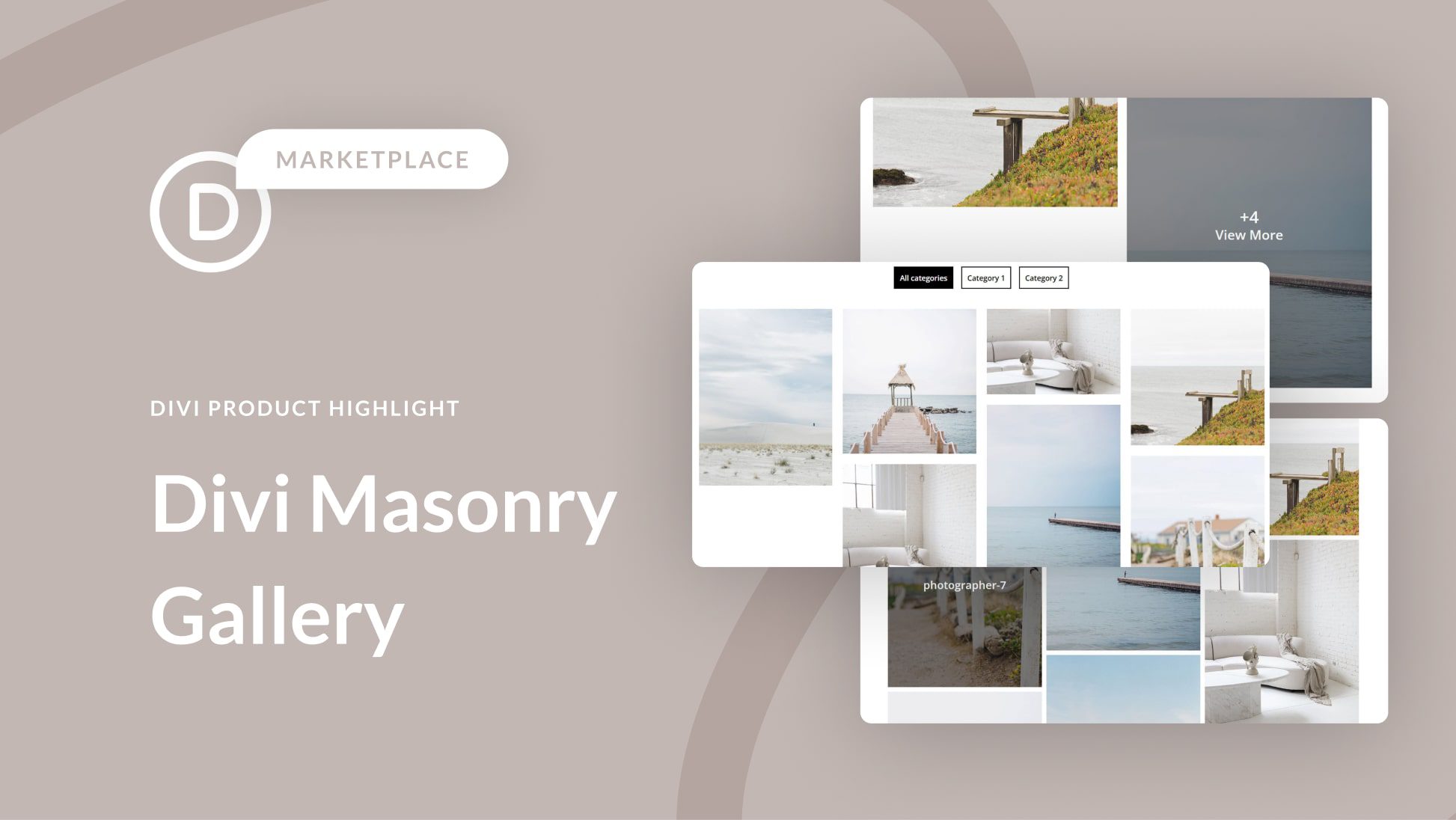
Introducing the Divi Masonry Gallery Plugin – your key to elevating your website’s image display game. This plugin seamlessly integrates with the Divi Builder, empowering you to craft and personalize stunning masonry gallery layouts effortlessly. Showcase your images like never before with category filtering, pagination, lightbox displays, and more at your fingertips.

You Might Be Interested In
  • Step by Step Guide on Hosting a Virtual Event in WordPress
  • WordPress Conversion Tracking: A Comprehensive Guide for Beginners
  • A Guide to Redirecting Your WordPress 404 Page to the Home Page
  • 10 Essential Features to Look for in a WordPress Theme
  • Comparing DynamoDB and MongoDB: Make an Informed Choice & Embrace Non-SQL
  • Setting Up WordPress Email Logs (Including WooCommerce Email Logs)

To get started, installing the Divi Masonry Gallery is a breeze. Navigate to your WordPress dashboard’s Plugin page, click “Add New,” and upload the .ZIP plugin file. Once uploaded, simply click “Install Now” and activate the plugin.

Upon activation, the Divi Masonry Gallery module becomes an integral part of your Divi Builder toolkit. Dive into the module settings, where you can effortlessly upload your images and tailor their display in the gallery. Adjust the number of columns, fine-tune spacing, activate hover zoom, and customize image dimensions with ease.

Take full control of user interactions by setting the onclick action for your images, whether it’s opening in a lightbox or redirecting to a specific URL. Enhance organization by assigning categories to each image and enabling category filtering within the gallery. Tailor pagination to your preference, whether it’s numeric, next/prev buttons, or a convenient load-more feature. Even the gallery module’s background color can be personalized to match your website’s aesthetic.

But the customization doesn’t end there – delve into the design settings to fine-tune your masonry gallery’s appearance. Overlay your images with icons or titles/captions, and choose overlay background colors that resonate with your brand. Elevate your gallery with subtle content animations, adjust text alignment, spacing, and shadow for the perfect finishing touch. Additional design options, including rounded corners, borders, and the ability to tweak gallery filters and pagination, provide endless possibilities.

Divi Masonry Gallery presents a variety of gallery layout examples, from four-column layouts with filters and pagination to minimalistic galleries with lightbox functionality or linked last images. Explore the three-column gallery option with image title overlays – the choice is yours.

Priced at $25 in the Divi Marketplace, Divi Masonry Gallery includes unlimited website usage, one year of support and updates, and a 30-day money-back guarantee. It’s a feature-rich plugin that empowers you to create visually captivating and highly customizable masonry galleries. With category filters, pagination, image links, and lightbox popups, Divi Masonry Gallery is your ultimate tool for showcasing images creatively and beautifully. Elevate your website’s image display today with Divi Masonry Gallery.

Pay Writer

Buy author a coffee

Pay Writer
divi marketplaceDivi Product HighlightDivi Resources
0 comments 0 FacebookTwitterPinterestEmail
developershohel

previous post
Identifying AI-Generated Writing in 2023: A Comprehensive Guide
next post
A 5-Step Guide to Beginning Anonymous Blogging on WordPress

Related Posts

How to improve Website Performance & Speed Up...

February 20, 2024

10 Best WordPress Image Optimization Plugins in 2024

February 20, 2024

Top 5 hosting to WordPress Staging Site with...

December 29, 2023

Writing a Blog Post Using AI in WordPress...

August 20, 2023

10 Useful Ways to Utilize AI in WordPress

August 19, 2023

Ultimate Guide on How to Add 2FA Authentication...

August 18, 2023

Comparison of the Top 6 Best WooCommerce Shipping...

August 18, 2023

Top 7 Link Tracking URL Shorteners for WordPress

August 18, 2023

2 Simple Methods to Highlight Text in WordPress

August 18, 2023

Comparison of the Top 5 Managed MySQL Hosting...

August 17, 2023

Leave a Comment Cancel Reply

Save my name, email, and website in this browser for the next time I comment.

* By using this form you agree with the storage and handling of your data by this website.

Weather

New York
overcast clouds
55%
3.1km/h
100%
-1°C
-0°
-3°
-4°
Wed

Recent Posts

  • How to improve Website Performance & Speed Up website

    February 20, 2024
  • 10 Best WordPress Image Optimization Plugins in 2024

    February 20, 2024
  • Top 10 Best WordPress Themes for Woocommerce in 2024

    January 1, 2024
  • How to use ftp or sftp server to transfer files in 2024

    December 30, 2023
  • Upload WordPress From localhost to live server in 2024

    December 30, 2023

STAY TUNED WITH US

Sign up for our newsletter to receive our latest blogs.

Get Best Web Hosting and Services for your Business

Hostinger

Hostinger

Bluehost

Bluehost

WP Engine

Name.com

Name.com

Resources

  • Developer Shohel
  • Url Shortener
  • All in One Online tools
  • Secure Cloud Storage
  • Books
  • Fashion Product
  • IT Blogger

Company

  • Privacy Policy
  • Refund Policy
  • Terms and Conditions
  • Cookie Policy
  • Contact us
  • About us

Most read

How to improve Website Performance & Speed Up website
February 20, 2024
10 Best WordPress Image Optimization Plugins in 2024
February 20, 2024
Top 10 Best WordPress Themes for Woocommerce in 2024
January 1, 2024
Codepen Blog | Top blogs for WordPress and Web Development
Facebook-f Twitter Instagram Linkedin Behance Github

@2024 – All Right Reserved. Designed and Developed by Developer Shohel

Codepen Blog
  • Home
  • About us
  • Contact us
Codepen Blog
  • Home
  • About us
  • Contact us
@2021 - All Right Reserved. Designed and Developed by PenciDesign

Read alsox

A Beginner’s Guide: Selling Photos Online in...

August 7, 2023

Adding Labels Above the Fields in Divi’s...

July 5, 2023

Top-rated Transcription Services for WordPress

July 5, 2023
Sign In

Keep me signed in until I sign out

Forgot your password?

Do not have an account ? Register here

Password Recovery

A new password will be emailed to you.

Have received a new password? Login here

Register New Account

Have an account? Login here

Shopping Cart

Close

No products in the cart.

Return To Shop
Close