

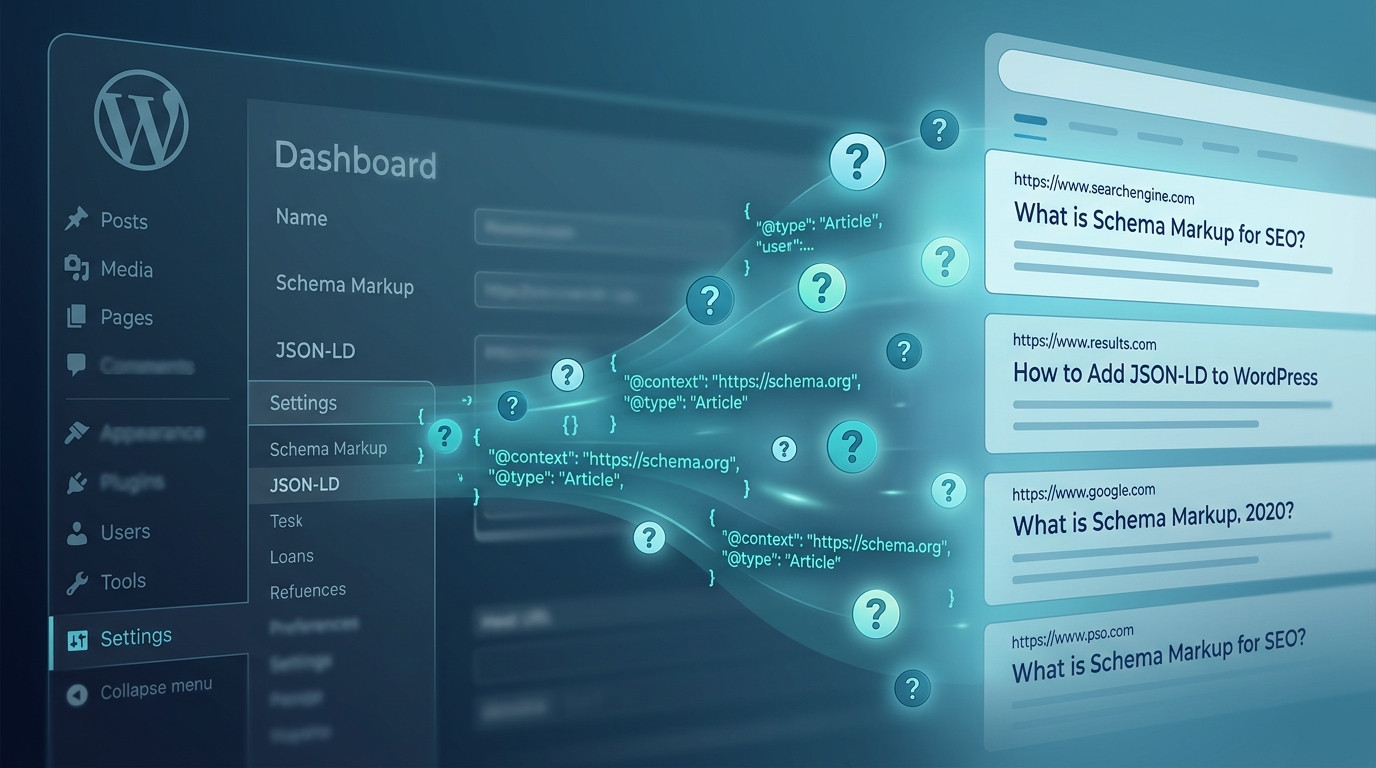
Structured data has evolved from a niche technical tactic into a core ranking and AI-visibility signal, and FAQ schema remains one of the highest-leverage markup types a WordPress publisher can deploy in 2026. Search engines now blend classic rich results with AI-generated answer panels, and clean FAQPage markup is frequently the difference between being cited and being ignored. This guide walks through every viable implementation path, from modern plugin workflows to hand-rolled JSON-LD, plus validation, troubleshooting, and the policy shifts that reshaped FAQ schema after 2023.
Google’s August 2023 announcement that FAQ rich results would only display for well-known authoritative government and health sites changed the strategic calculus, but it did not kill FAQ schema. Instead, the markup migrated into a broader role: feeding AI Overviews, powering voice assistants, enriching entity graphs, and improving passage retrieval for retrieval-augmented generation systems. Meanwhile, Bing, Perplexity, and a growing fleet of AI answer engines still surface FAQ markup aggressively, and WordPress core has continued to mature its schema APIs. The result is that FAQ schema in 2026 is less about chasing a blue-link rich snippet and more about making your content machine-legible for every consumer of structured data. The sections below cover the mechanics, the tooling, the code, and the pitfalls in depth.
Why FAQ Schema Still Matters for WordPress SEO in 2026
The disappearance of FAQ rich results from most Google SERPs triggered a wave of panic articles declaring schema dead, but the underlying data tells a different story. Structured data remains a first-class input to Google’s understanding pipeline, and FAQPage markup specifically helps disambiguate question intent, entity relationships, and answer boundaries on a page. Even when a rich result does not render, the markup influences how passages are selected for AI Overviews and how confidently a system can attribute a claim to your domain. Publishers who stripped FAQ schema in 2024 and 2025 often saw their content cited less frequently in generative answers, a subtle but measurable regression.
Beyond Google, the ecosystem of answer engines has expanded dramatically. Perplexity, You.com, Bing Copilot, and dozens of vertical AI search products all consume schema.org markup to identify question-answer pairs and extract concise, attributable answers. For these systems, FAQPage is not a cosmetic enhancement but a parsing shortcut that reduces ambiguity. A page with well-formed FAQ schema is easier to chunk, easier to cite, and easier to trust, which translates into more referral traffic from AI surfaces even as classic rich results remain restricted.
There is also a compounding entity-graph benefit. When you consistently publish FAQPage markup with stable question text and canonical URLs, you strengthen the association between your domain and specific topics. Over time, this improves how knowledge panels, brand queries, and topical authority signals resolve. WordPress sites that treat schema as a long-term entity-building investment rather than a one-off snippet tend to outperform competitors in AI citation frequency, because the machines have more structured evidence to work with.
Finally, FAQ schema improves on-page UX when rendered visually. Many publishers pair the markup with an accessible accordion component, which reduces scroll fatigue, improves Core Web Vitals by deferring offscreen content, and gives users a scannable answer format. The dual benefit, machine readability plus human readability, is why FAQ blocks remain one of the most requested content patterns in editorial briefs. The implementation details below show how to capture both wins without duplicating content or violating Google’s guidelines.
Google’s Current FAQ Schema Guidelines and Policy Reality
Google’s structured data documentation for FAQPage is explicit about eligibility: the markup must describe a page whose primary purpose is to present a list of questions and answers, not a product page with a token FAQ section bolted on. The 2023 restriction limited rich result display to authoritative government and health domains, but the eligibility rules for the markup itself did not change. You can and should still deploy FAQPage markup on genuinely FAQ-oriented content, because the markup feeds other surfaces and does no harm when implemented correctly. The key is honesty: do not mark up promotional copy as a FAQ.
A frequent misconception is that FAQ schema requires the questions to be visible on the page. This is correct and non-negotiable. Google’s guidelines state that the marked-up content must be present in the rendered HTML and visible to users. Hidden accordions are acceptable only if the content is in the DOM and expandable by users, not cloaked behind JavaScript that never renders. If your theme lazy-loads accordion content via an API call after interaction, you risk the markup being ignored or, worse, triggering a manual action for hidden content.
Another policy nuance concerns duplication. If the same question and answer appear multiple times on a page, mark up only one instance. Repeating identical FAQPage entities confuses parsers and can dilute the signal. Similarly, do not use FAQPage for a single question; use QAPage instead, which is designed for user-generated Q&A threads with a single accepted answer. Mixing the two types on one URL is a common audit finding and should be corrected during any schema cleanup pass.
Google also warns against marking up content that is not user-visible, content that is promotional, and content that contains profanity or hate speech. These are content-quality rules rather than technical ones, but they matter because structured data violations can escalate to manual actions in extreme cases. The safest posture in 2026 is to treat FAQ schema as a faithful representation of what a human sees on the page, nothing more and nothing less. That principle resolves almost every edge case you will encounter.
Plugin-Based Implementation: The Fastest Reliable Path
For most WordPress publishers, a plugin remains the fastest and least error-prone way to ship FAQ schema. The plugin ecosystem matured significantly between 2023 and 2026, and the leading SEO suites now generate FAQPage JSON-LD automatically from Gutenberg blocks, classic editor shortcodes, and custom post type fields. The advantage is consistency: the plugin handles escaping, entity encoding, and graph integration so you do not accidentally produce invalid JSON or orphaned schema nodes. The trade-off is dependency and potential bloat, which we will address in the comparison table below.
Rank Math, Yoast SEO, All in One SEO, and SEOPress all support FAQ schema in their current 2026 releases. Rank Math’s approach is particularly flexible because it exposes a dedicated FAQ block that outputs both the visible accordion and the JSON-LD in one step, eliminating the duplication risk that plagues manual implementations. Yoast SEO integrates FAQ blocks into its schema graph, which means your FAQ entities inherit the same @id references as your Article and Organization nodes, producing a cleaner connected graph. All in One SEO offers a schema catalog with a FAQ template that is easy for non-technical editors to use.
The typical plugin workflow follows a predictable pattern: install and activate the plugin, complete the setup wizard, edit the target post, open the schema panel, add a FAQ schema entry, and populate question-answer pairs. The plugin then injects the JSON-LD into the page head or footer. The critical step most users skip is validation. Always run the published URL through Google’s Rich Results Test and the Schema.org validator after saving, because plugin output can vary based on theme hooks and caching layers. A cached page may serve stale schema for hours if your object cache is not purged.
Plugin-based FAQ schema also plays well with multilingual setups. WPML and Polylang both integrate with the major SEO plugins to emit language-specific schema, which matters because FAQPage markup should match the visible language of the page. If you run a multilingual site, verify that each translation emits its own FAQPage node with the correct inLanguage property. This is a frequent gap in audits and a quick win for international SEO.
Comparing the Leading FAQ Schema Plugins
The table below summarizes how the major WordPress SEO plugins handle FAQ schema as of their 2026 releases. Feature parity is high, but the differences in graph integration and block support matter for advanced implementations.
| Plugin | FAQ Block | Graph Integration | Multilingual | Free Tier |
|---|---|---|---|---|
| Rank Math | Yes, native block | Strong, connected @id | WPML, Polylang | Yes |
| Yoast SEO | Yes, FAQ block | Strong, schema graph | WPML, Polylang | Yes, limited |
| All in One SEO | Yes, schema catalog | Moderate | WPML, Polylang | Yes, limited |
| SEOPress | Yes, FAQ block | Moderate | WPML, Polylang | Yes |
| Slim SEO | No native block | Lightweight | Basic | Yes |
Step-by-Step Plugin Configuration
Follow this sequence to avoid the most common configuration mistakes. Each step assumes a fresh install of a modern SEO plugin on WordPress 6.7 or later.
- Install and activate your chosen SEO plugin, then complete the onboarding wizard.
- Navigate to the post or page that contains your FAQ content.
- Open the plugin’s schema or structured data panel in the editor sidebar.
- Add a new schema type and select FAQPage from the catalog.
- Enter each question and answer pair, matching the visible on-page text exactly.
- Save the post, purge any page cache, and publish.
- Validate the live URL with the Rich Results Test and fix any reported issues.
Manual JSON-LD Implementation Without a Plugin
Some publishers prefer to avoid plugin dependency, either for performance reasons, because they run a headless setup, or because they want full control over the schema graph. Manual JSON-LD is entirely viable in 2026 and is the approach used by many high-traffic editorial sites. The core requirement is that the JSON-LD block is present in the rendered HTML, valid according to schema.org, and consistent with the visible content. WordPress gives you several clean ways to inject it, from a custom HTML block to a functions.php hook.
The simplest manual method is to add a Custom HTML block in the Gutenberg editor and paste a script tag containing the FAQPage JSON-LD. This works but has drawbacks: the schema lives inside post content, which means it can be stripped by certain migrations, duplicated by content syndication, and is harder to audit at scale. A more robust approach is to register the schema via a theme or plugin function that hooks into wp_head, so the markup is generated programmatically and stays consistent across templates.
The code example below shows a complete, runnable implementation that outputs FAQPage JSON-LD on a specific page template. It uses WordPress 6.7+ APIs, escapes output correctly, and integrates with the site’s existing schema graph by referencing the WebPage node. Replace the placeholder questions with your real content, and adjust the conditional logic to match your template hierarchy.
<?php
/**
 * Plugin Name: Custom FAQ Schema
 * Description: Outputs FAQPage JSON-LD on a designated page template.
 * Version: 1.0.0
 * Requires at least: 6.7
 * Requires PHP: 8.2
 */

add_action( 'wp_head', 'custom_faq_schema_output', 20 );

function custom_faq_schema_output() {
    if ( ! is_page_template( 'template-faq.php' ) ) {
        return;
    }

    $faqs = array(
        array(
            'question' => 'What is FAQ schema?',
            'answer'   => 'FAQ schema is structured data that describes a list of questions and answers on a page.',
        ),
        array(
            'question' => 'Does FAQ schema still work in 2026?',
            'answer'   => 'Yes. Rich results are restricted, but the markup still feeds AI answer engines and entity graphs.',
        ),
    );

    $entities = array();

    foreach ( $faqs as $faq ) {
        $entities[] = array(
            '@type'          => 'Question',
            'name'           => wp_strip_all_tags( $faq['question'] ),
            'acceptedAnswer' => array(
                '@type' => 'Answer',
                'text'  => wp_strip_all_tags( $faq['answer'] ),
            ),
        );
    }

    $schema = array(
        '@context'   => 'https://schema.org',
        '@type'      => 'FAQPage',
        '@id'        => get_permalink() . '#faq',
        'mainEntity' => $entities,
    );

    echo '<script type="application/ld+json">' . wp_json_encode( $schema, JSON_UNESCAPED_SLASHES | JSON_UNESCAPED_UNICODE ) . '</script>' . "n";
}
Validating Manual JSON-LD
After deploying manual schema, validation is mandatory. Use the Schema Markup Validator at validator.schema.org to confirm the JSON parses and the entity types are correct, then use Google’s Rich Results Test to check for Google-specific warnings. A common failure mode is trailing commas or unescaped quotes inside answer text, which breaks the entire JSON block. The wpjsonencode function in the example above handles escaping automatically, which is why programmatic generation is safer than hand-editing JSON in a Custom HTML block.
Another validation step is to confirm the schema appears in the rendered HTML, not just the source. Use curl or your browser’s view-source on the live URL, and search for application/ld+json. If your site uses a JavaScript framework for rendering, the schema may only appear after hydration, which some crawlers will miss. In that case, server-side rendering or a headless CMS schema field is the correct fix.
Building FAQ Schema with Gutenberg Blocks and Block Patterns
Gutenberg’s block API has become the preferred authoring surface for FAQ content, and the 2026 block editor includes several patterns that pair visible accordions with schema output. The advantage of block-based authoring is that the visible content and the structured data are generated from the same source, which eliminates the drift that happens when editors update the visible text but forget to update the JSON-LD. This single-source-of-truth principle is the most important architectural decision in any FAQ schema implementation.
A practical pattern is to register a custom block that stores question-answer pairs as block attributes and renders both the accordion markup and the JSON-LD from those attributes. The block’s save function outputs the visible HTML, while a renderblock filter or a wphead hook outputs the schema. This separation keeps the front-end markup clean and the schema consistent. The code below shows a minimal block registration with a render callback that outputs both layers.
<?php
add_action( 'init', 'register_faq_block' );

function register_faq_block() {
    register_block_type( 'custom/faq-list', array(
        'api_version'     => 3,
        'render_callback' => 'render_faq_block',
        'attributes'      => array(
            'items' => array(
                'type'    => 'array',
                'default' => array(),
            ),
        ),
    ) );
}

function render_faq_block( $attributes ) {
    if ( empty( $attributes['items'] ) ) {
        return '';
    }

    $html     = '<div class="faq-accordion">';
    $entities = array();

    foreach ( $attributes['items'] as $item ) {
        $q = esc_html( $item['question'] );
        $a = wp_kses_post( $item['answer'] );

        $html .= '<details><summary>' . $q . '</summary><div>' . $a . '</div></details>';

        $entities[] = array(
            '@type'          => 'Question',
            'name'           => wp_strip_all_tags( $q ),
            'acceptedAnswer' => array(
                '@type' => 'Answer',
                'text'  => wp_strip_all_tags( $a ),
            ),
        );
    }

    $html .= '</div>';

    $schema = array(
        '@context'   => 'https://schema.org',
        '@type'      => 'FAQPage',
        'mainEntity' => $entities,
    );

    $html .= '<script type="application/ld+json">' . wp_json_encode( $schema, JSON_UNESCAPED_SLASHES ) . '</script>';

    return $html;
}
Using the native details and summary elements for the accordion is a deliberate accessibility choice. These elements are keyboard-accessible by default, work without JavaScript, and are recognized by screen readers. They also keep the content in the DOM, which satisfies Google’s visibility requirement. Avoid JavaScript-only accordions that mount content on click, because the marked-up text may not be present when the crawler renders the page.
Block patterns take this further by letting you ship a pre-configured FAQ section that editors can drop into any post. Register a pattern in your theme’s patterns directory, and the editor gets a consistent, schema-ready FAQ layout without touching code. This is the recommended approach for editorial teams with multiple contributors, because it standardizes both the visual design and the structured data output.
Testing, Debugging, and Monitoring FAQ Schema at Scale
Validation is not a one-time task. Schema can break silently when themes change, plugins update, or content is migrated, and a broken FAQPage block can go unnoticed for months. A disciplined monitoring workflow catches regressions early. The baseline tools are Google’s Rich Results Test for individual URLs, the Schema Markup Validator for syntax and type checks, and Search Console’s Enhancement reports for site-wide visibility into structured data errors. In 2026, Search Console’s structured data reporting has improved to surface FAQPage issues even when rich results are not displayed.
For sites with hundreds or thousands of URLs, manual validation does not scale. Automated crawling with Screaming Frog, Sitebulb, or a custom script that fetches each URL and parses the JSON-LD is the practical solution. The script below uses Node.js 22 and the built-in fetch API to crawl a sitemap, extract FAQPage blocks, and report any that fail to parse. Run it in CI to catch regressions before they reach production.
// validate-faq-schema.mjs
// Node.js 22+, run with: node validate-faq-schema.mjs

const sitemapUrl = 'https://example.com/sitemap.xml';

async function fetchText(url) {
  const res = await fetch(url, { headers: { 'User-Agent': 'SchemaAudit/1.0' } });
  if (!res.ok) throw new Error(`Failed ${url}: ${res.status}`);
  return res.text();
}

function extractJsonLd(html) {
  const blocks = [];
  const regex = /<script type="application/ld+json">([sS]*?)</script>/g;
  let match;
  while ((match = regex.exec(html)) !== null) {
    try {
      blocks.push(JSON.parse(match[1]));
    } catch (err) {
      blocks.push({ parseError: err.message });
    }
  }
  return blocks;
}

async function main() {
  const sitemap = await fetchText(sitemapUrl);
  const urls = [...sitemap.matchAll(/<loc>(.*?)</loc>/g)].map((m) => m[1]);
  let faqCount = 0;
  let errorCount = 0;

  for (const url of urls) {
    const html = await fetchText(url);
    const blocks = extractJsonLd(html);
    const faq = blocks.find((b) => b['@type'] === 'FAQPage');

    if (faq) {
      faqCount++;
      if (faq.parseError) {
        errorCount++;
        console.error(`Parse error on ${url}: ${faq.parseError}`);
      } else if (!Array.isArray(faq.mainEntity) || faq.mainEntity.length === 0) {
        errorCount++;
        console.error(`Empty mainEntity on ${url}`);
      }
    }
  }

  console.log(`Checked ${urls.length} URLs. FAQ pages: ${faqCount}. Errors: ${errorCount}.`);
}

main().catch((err) => {
  console.error(err);
  process.exit(1);
});
Beyond syntax, monitor for content drift. If an editor updates the visible FAQ text but the JSON-LD still reflects the old wording, you have a mismatch that can confuse parsers and, in extreme cases, trigger a manual action for misleading markup. The single-source-of-truth block pattern described earlier prevents this, but if you inherited a site with hand-edited JSON-LD, schedule a quarterly audit to reconcile visible content with schema output.
Common Pitfalls and How to Avoid Them
Even experienced developers hit the same FAQ schema traps repeatedly. The most common is marking up content that is not visible to users, often because the accordion content is loaded asynchronously. The fix is to render the content server-side and use progressive enhancement for the interactive behavior. Another frequent issue is nesting FAQPage inside another schema type incorrectly, which produces an invalid graph. FAQPage should be a top-level node or a properly referenced child, not an arbitrary property of an Article.
Duplicate markup is another silent killer. If your SEO plugin outputs FAQPage and your theme also outputs it, you get two competing nodes on the same URL. Google may pick one, ignore both, or flag the duplication. Audit your rendered HTML for multiple application/ld+json blocks containing FAQPage and consolidate them into a single graph. The same applies to multilingual sites where a translation plugin and an SEO plugin both inject schema.
A subtler pitfall is over-marking. Some publishers add FAQPage to every post, including news articles and product pages that have no genuine FAQ content. This dilutes the signal and can be interpreted as spammy structured data. Reserve FAQPage for pages whose primary purpose is answering questions. If a product page has a short FAQ section, consider whether the page qualifies; often it does not, and a Product schema with additionalProperty is the better choice.
Finally, watch for encoding issues. Ampersands, quotes, and emoji in question text must be properly escaped in JSON-LD. Hand-edited JSON frequently breaks on an unescaped quote inside an answer. Programmatic generation with wpjsonencode or JSON.stringify eliminates this class of bug entirely. If you must hand-edit, validate after every change, and never deploy schema directly to production without a staging check.
FAQ Schema, AI Overviews, and the Future of Answer Markup
The relationship between FAQ schema and AI-generated answers is the most important strategic development since the 2023 rich result restriction. AI Overviews and competing answer engines rely on retrieval pipelines that chunk content, score passages, and synthesize responses. Structured data gives those pipelines explicit boundaries: a Question entity with a clean acceptedAnswer is easier to retrieve and attribute than an unstructured paragraph. Publishers who maintain high-quality FAQ schema are seeing their content cited more often in generative answers, even when no traditional rich result appears.
This shift changes how you should think about FAQ content itself. Answers should be self-contained, factual, and concise, ideally 40 to 60 words, because that length maps well to how answer engines extract and quote passages. Questions should mirror real user queries, which you can source from Search Console, People Also Ask boxes, and your own site search logs. The markup then reinforces what the content already does well, rather than papering over weak answers with technical tricks.
Entity consistency matters more than ever. Use the same question phrasing across your site, your schema, and your internal knowledge base so that machines build a stable association between your brand and the topic. Link your FAQPage to your Organization and WebSite nodes via @id references to strengthen the graph. Over time, this produces measurable improvements in brand queries, knowledge panel accuracy, and AI citation frequency, which are the metrics that matter in a zero-click world.
Looking ahead, expect schema.org and the major search engines to continue refining how question-answer content is represented. The QAPage and FAQPage types are stable, but new properties for answer provenance and confidence are under discussion. The safe strategy is to keep your markup clean, your content honest, and your validation automated. Publishers who treat structured data as infrastructure rather than a hack will be the ones whose content survives every algorithm shift.
Frequently Asked Questions About FAQ Schema in WordPress
Does FAQ schema still improve rankings in 2026?
FAQ schema is not a direct ranking factor, but it improves how search engines and AI systems understand and cite your content. The indirect benefits, better passage retrieval, stronger entity associations, and higher AI citation rates, translate into visibility gains over time. Treat it as an understanding signal rather than a ranking lever.
Can I use FAQ schema on a page with only one question?
No. Google’s guidelines specify that FAQPage is for pages with a list of questions and answers. For a single question with one accepted answer, use QAPage instead. Mixing the two types on one URL is a common audit finding and should be corrected.
Will my FAQ rich results show in Google search?
Since August 2023, FAQ rich results are restricted to authoritative government and health sites. Most publishers will not see the visual rich result, but the markup still feeds AI Overviews, Bing, Perplexity, and other answer engines. The strategic value has shifted from SERP decoration to machine legibility.
How do I validate my FAQ schema?
Use Google’s Rich Results Test for Google-specific checks and the Schema Markup Validator at validator.schema.org for syntax and type validation. For site-wide monitoring, automate crawling with a script or a tool like Screaming Frog, and review Search Console’s structured data reports regularly.
Should I use a plugin or manual JSON-LD?
Plugins are faster, safer for non-developers, and integrate with your existing schema graph. Manual JSON-LD gives you full control and avoids plugin bloat, but requires careful escaping and ongoing validation. Many high-traffic sites use a hybrid: plugins for standard pages, custom code for complex templates.
What is the ideal answer length for FAQ schema?
Aim for 40 to 60 words per answer. This length is concise enough for answer engines to extract cleanly and detailed enough to be genuinely useful. Avoid one-line answers that lack context and long paragraphs that bury the key fact.
Can FAQ schema hurt my SEO?
Poorly implemented FAQ schema can trigger warnings or, in extreme cases, manual actions for hidden or misleading markup. Invalid JSON, duplicated nodes, and content mismatches are the usual culprits. Clean, visible, honest markup carries no risk and provides incremental benefits.
Putting It All Together: A 2026 FAQ Schema Workflow
The most reliable approach combines a plugin for standard editorial pages with custom code for complex templates, all governed by a single-source-of-truth principle. Start by auditing your current schema output with the Rich Results Test and Search Console. Identify pages with genuine FAQ content, and standardize the authoring pattern using a Gutenberg block or pattern that outputs both visible content and JSON-LD. Then automate validation in CI so regressions are caught before they reach production.
For teams managing large sites, document the schema architecture: which templates emit FAQPage, how nodes reference each other, and who owns updates when content changes. This documentation prevents the drift that causes mismatches between visible text and markup. It also makes onboarding new developers faster and reduces the risk of accidental duplication when plugins or themes change.
Finally, treat FAQ schema as part of a broader structured data strategy that includes Article, Organization, BreadcrumbList, and Product markup where relevant. A connected graph is more valuable than isolated nodes, and the effort to link them is modest once your foundation is solid. The publishers winning in AI-driven search are the ones whose content is not just well-written but well-described, and FAQ schema is one of the most effective description tools available.
For further reading, consult the official schema.org FAQPage documentation, Google’s structured data guidelines, the WordPress developer handbook on block registration, and the W3C accessibility guidance on the details element. These authoritative sources will keep your implementation aligned with current standards as the ecosystem continues to evolve.
Related Reading
- File Upload Form WordPress: 7 Proven Steps for 2026
- Social Media Icons in WordPress Menus: 5 Ultimate 2026 Methods
- 7 Ultimate WordPress Backup Plugins Compared for 2026
- WordPress Table Plugins: 7 Ultimate Picks for 2026
- WordPress Podcast Theme 2026: 10 Ultimate Picks Ranked
