
Codepen Blog
  • Home
  • About us
  • Contact us
Codepen Blog
  • Home
  • About us
  • Contact us
Friday, December 19, 2025
Top Posts
Top 10 AI Logo Generators in 2023 with the Majority Being...
Ultimate Guide to install and setup WordPress multisite
Upload WordPress From localhost to live server in 2024
Top 10 Best WordPress Themes for Woocommerce in 2024
Top 11 WordPress Mobile Plugin for Optimal Usage in 2024
The Ultimate Guide to Self-Hosted WordPress Website
SSH-ing into a Docker container: a step-by-step guide
Creating a Complete Homepage Using Divi AI – Step by Step...
How to use ftp or sftp server to transfer files in...
Top 5 hosting to WordPress Staging Site with plugins in 2024
SUBSCRIBE NEWSLETTERS
Codepen Blog
Codepen Blog
  • Contact us
Copyright 2021 - All Right Reserved
Blogs

Understanding Pagination in WordPress

by developershohel July 5, 2023
written by developershohel July 5, 2023 Pay Writer
372

Managing large amounts of content in a WordPress site can become a daunting task. Imagine having a blog with hundreds of posts or an ecommerce website with thousands of products. How do you ensure your visitors navigate through your content easily and without feeling overwhelmed? The answer is simple — pagination. What is pagination in WordPress exactly?

Table of Contents

Toggle
  • Understanding pagination
    • Improved performance
    • Better user experience
    • SEO benefits
    • Easier navigation
  • How to add pagination to WordPress
  • Conclusion: what is pagination in WordPress?
    • Pay Writer

Pagination is a method of breaking down content into smaller, more manageable chunks, displayed across multiple pages. Read on to learn more about pagination, its benefits, and how to apply it to your WordPress website.

Understanding pagination

Pagination is commonly used for websites that have a large amount of content, such as blogs, ecommerce sites, and news portals. There are several reasons WordPress users consider pagination as a valuable feature.

Improved performance

Pagination offers a significant advantage by enhancing the performance of your website. When you divide your content into smaller pages, you effectively reduce the page load time. By optimizing the loading speed, pagination ensures that your website remains swift and responsive, allowing for efficient content delivery.

Better user experience

By implementing pagination, you can enhance the readability and digestibility of your content. Pagination prevents your site’s visitors from being overwhelmed by an excessively long page and allows them to focus on one section at a time. This improved content presentation fosters a more enjoyable and engaging user experience, leading to increased satisfaction and retention of your website’s content.

SEO benefits

Pagination can positively affect your website’s search engine optimization (SEO). When search engines crawl your website, they can easily index and understand the structured content presented through pagination. This allows them to display relevant search results for specific pages, promoting increased visibility and organic traffic.

Easier navigation

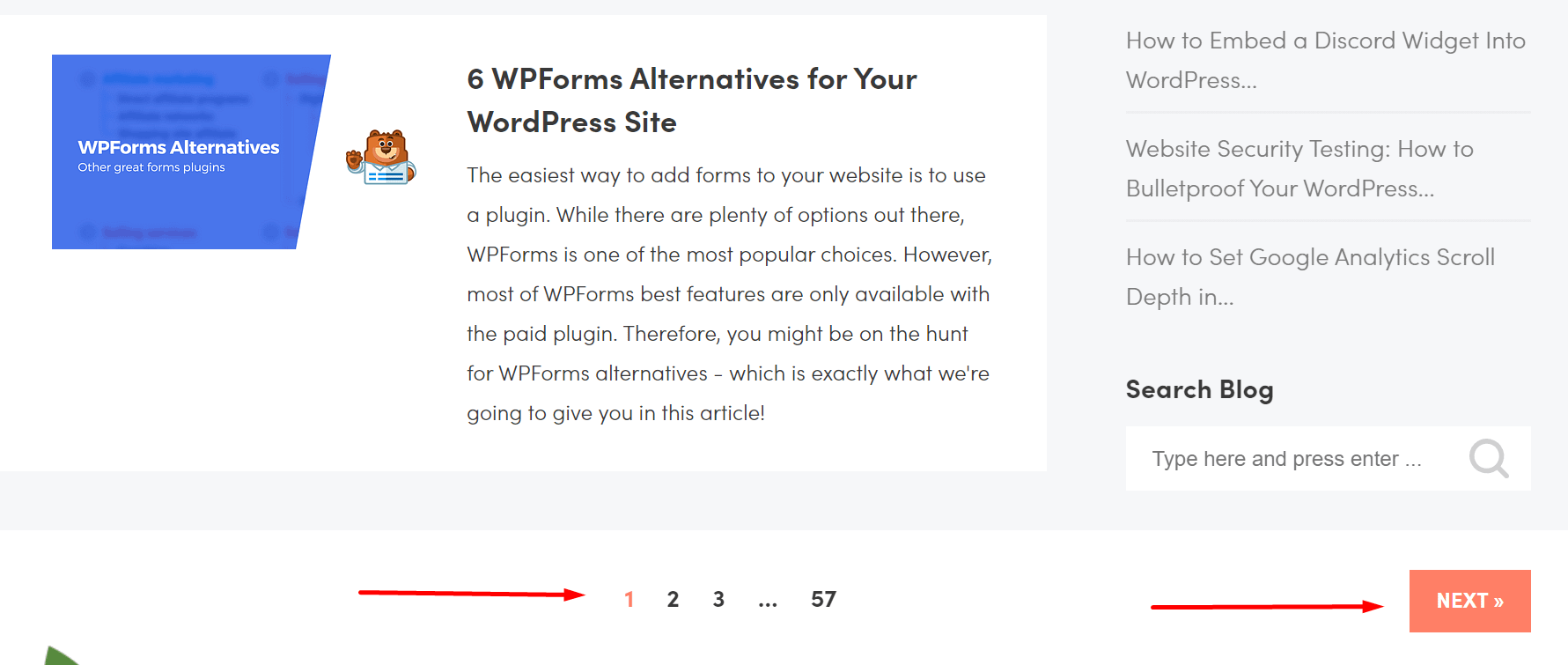
Another way pagination enhances user experience is by making it easier for visitors to navigate through your website. Instead of scrolling endlessly, they can simply click on the page numbers or the “Next” and “Previous” buttons to access the desired content. This intuitive navigation makes it more convenient for users to find the information they are looking for.

How to add pagination to WordPress

Now that you understand what is pagination in WordPress, it’s time to explore ways to implement it on your platform. One option is to choose a WordPress theme that supports pagination, such as Neve. These themes often come with built-in pagination functionality, allowing you to enable it easily and without any coding.

Alternatively, you can use a WordPress plugin like WP-PageNavi. This plugin provides a simple and flexible way to add pagination to your WordPress site. Once installed and activated, you can customize the pagination style and position to match your website’s design.

Conclusion: what is pagination in WordPress?

Pagination is a valuable feature for WordPress websites with substantial content. It improves performance, enhances user experience, provides SEO benefits, and simplifies navigation. To enjoy its convenience, go for a theme that supports pagination, like Neve, or install a dedicated plugin, such as WP-PageNavi.

Was this article helpful?

Pay Writer

Buy author a coffee

Pay Writer
Glossary
0 comments 0 FacebookTwitterPinterestEmail
developershohel

previous post
Top-rated Transcription Services for WordPress
next post
Understanding Chmod: A Brief Explanation

Related Posts

How to improve Website Performance & Speed Up...

February 20, 2024

10 Best WordPress Image Optimization Plugins in 2024

February 20, 2024

Top 5 hosting to WordPress Staging Site with...

December 29, 2023

Writing a Blog Post Using AI in WordPress...

August 20, 2023

10 Useful Ways to Utilize AI in WordPress

August 19, 2023

Ultimate Guide on How to Add 2FA Authentication...

August 18, 2023

Comparison of the Top 6 Best WooCommerce Shipping...

August 18, 2023

Top 7 Link Tracking URL Shorteners for WordPress

August 18, 2023

2 Simple Methods to Highlight Text in WordPress

August 18, 2023

Comparison of the Top 5 Managed MySQL Hosting...

August 17, 2023

Leave a Comment Cancel Reply

Save my name, email, and website in this browser for the next time I comment.

* By using this form you agree with the storage and handling of your data by this website.

Weather

New York
heavy intensity rain
92%
12.9km/h
100%
13°C
14°
12°
13°
Fri

Recent Posts

  • How to improve Website Performance & Speed Up website

    February 20, 2024
  • 10 Best WordPress Image Optimization Plugins in 2024

    February 20, 2024
  • Top 10 Best WordPress Themes for Woocommerce in 2024

    January 1, 2024
  • How to use ftp or sftp server to transfer files in 2024

    December 30, 2023
  • Upload WordPress From localhost to live server in 2024

    December 30, 2023

STAY TUNED WITH US

Sign up for our newsletter to receive our latest blogs.

Get Best Web Hosting and Services for your Business

Hostinger

Hostinger

Bluehost

Bluehost

WP Engine

Name.com

Name.com

Resources

  • Developer Shohel
  • Url Shortener
  • All in One Online tools
  • Secure Cloud Storage
  • Books
  • Fashion Product
  • IT Blogger

Company

  • Privacy Policy
  • Refund Policy
  • Terms and Conditions
  • Cookie Policy
  • Contact us
  • About us

Most read

How to improve Website Performance & Speed Up website
February 20, 2024
10 Best WordPress Image Optimization Plugins in 2024
February 20, 2024
Top 10 Best WordPress Themes for Woocommerce in 2024
January 1, 2024
Codepen Blog | Top blogs for WordPress and Web Development
Facebook-f Twitter Instagram Linkedin Behance Github

@2024 – All Right Reserved. Designed and Developed by Developer Shohel

Codepen Blog
  • Home
  • About us
  • Contact us
Codepen Blog
  • Home
  • About us
  • Contact us
@2021 - All Right Reserved. Designed and Developed by PenciDesign

Read alsox

Namecheap’s Tech Beat – July 21, 2023

July 21, 2023

A Comprehensive Guide to Follow in 2023:...

July 22, 2023

Enhance SEO and Boost LCP Performance with...

July 27, 2023
Sign In

Keep me signed in until I sign out

Forgot your password?

Do not have an account ? Register here

Password Recovery

A new password will be emailed to you.

Have received a new password? Login here

Register New Account

Have an account? Login here

Shopping Cart

Close

No products in the cart.

Return To Shop
Close