
Codepen Blog
  • Home
  • About us
  • Contact us
Codepen Blog
  • Home
  • About us
  • Contact us
Wednesday, February 4, 2026
Top Posts
Top 10 AI Logo Generators in 2023 with the Majority Being...
Ultimate Guide to install and setup WordPress multisite
Upload WordPress From localhost to live server in 2024
Top 10 Best WordPress Themes for Woocommerce in 2024
Top 11 WordPress Mobile Plugin for Optimal Usage in 2024
The Ultimate Guide to Self-Hosted WordPress Website
Creating a Complete Homepage Using Divi AI – Step by Step...
SSH-ing into a Docker container: a step-by-step guide
How to use ftp or sftp server to transfer files in...
Top 5 hosting to WordPress Staging Site with plugins in 2024
SUBSCRIBE NEWSLETTERS
Codepen Blog
Codepen Blog
  • Contact us
Copyright 2021 - All Right Reserved
Blogs

Steps to Safeguard Your Privacy by Removing Public Information from the Internet

by developershohel July 7, 2023
written by developershohel July 7, 2023 Pay Writer
377

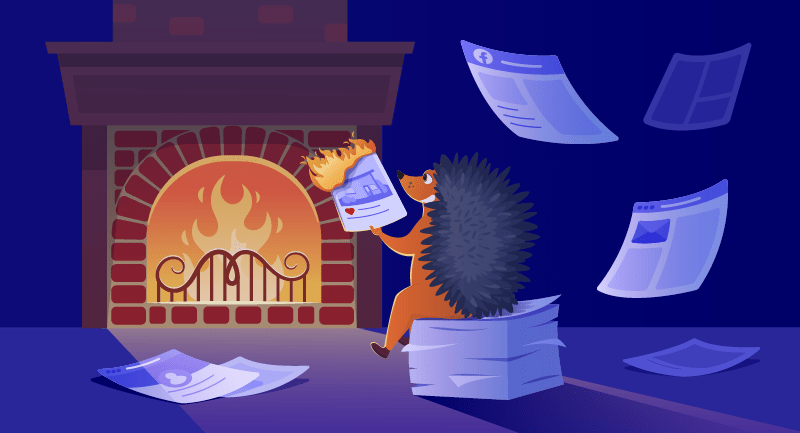
Safeguarding Your Digital Presence: Minimizing Your Digital Footprint in an Era of Cyber Threats

In today’s digital landscape, the importance of protecting your personal information cannot be overstated. The risks, including identity theft, cyberstalking, and intrusive marketing solicitations, are prevalent. Shockingly, in 2022 alone, over 422 million individuals fell victim to identity theft, highlighting the urgency of taking proactive measures. While completely erasing your data from the internet may not be foolproof, there are strategic steps you can follow to minimize your digital footprint and enhance your online privacy.

Table of Contents

Toggle
  • Safeguarding Your Digital Presence: Minimizing Your Digital Footprint in an Era of Cyber Threats
    • 1. Locate and Assess Your Public Information
    • 2. Eradicate Personal Information from Social Media Accounts
    • 3. Remove Personal Information from Third-Party Websites
    • 4. Fortify Your Information Moving Forward
    • Pay Writer
You Might Be Interested In
  • Multi-Purpose Divi Child Theme – Kali
  • Reflecting on Over 30 Years of Evolution in Website Design
  • Top 10 WordPress Restaurant Themes to Utilize in 2024
  • Ensuring the Security of Online Payments
  • Consider These 15 Free WordPress Ecommerce Plugins in 2023
  • 30 Exceptional Examples of Marketing Email Campaigns [Including a Template]

1. Locate and Assess Your Public Information

Commence the process by identifying where your personal information is publicly available online. Utilize search engines such as Google, Bing, and DuckDuckGo to search for your name, including variations like maiden names and nicknames. Extend your search to images, videos, and news tabs. Social media platforms like Facebook, Instagram, Twitter, and LinkedIn also merit thorough scrutiny. Maintain a detailed spreadsheet documenting each domain and website containing references to your information.

Additionally, explore “people search” websites like Whitepages, Spokeo, and Intelius, which aggregate personal information from diverse sources. Identify potentially harmful or revealing details, especially sensitive information such as addresses, phone numbers, birthdates, and Social Security numbers.

2. Eradicate Personal Information from Social Media Accounts

Access your social media accounts and navigate to the account settings. Execute the steps to either delete or deactivate your account. Scrutinize and eliminate all content from your profiles, including personal information, photos, videos, and posts. Thoroughly review and modify your “About” or “Bio” sections, removing any sensitive details. Adjust privacy settings to limit visibility, and consider implementing two-factor authentication for an additional layer of security.

3. Remove Personal Information from Third-Party Websites

Tackle third-party websites that may have acquired your information from various sources. Some people search websites provide opt-out services to facilitate the removal of your information. Locate opt-out forms on these websites and adhere to the provided instructions. In instances where no opt-out service is available, directly contact webmasters to request removal, keeping detailed records of your correspondence.

In extreme cases, seek legal advice or submit a legal request to search engines if websites refuse to remove your information or if the content is defamatory.

4. Fortify Your Information Moving Forward

Having removed your personal information, exercise caution in your online activities. Think twice before sharing sensitive data and consider adopting an alias or nickname in online communities. Enhance your online security by using a Virtual Private Network (VPN) to encrypt your internet connection. Stay informed about privacy policies and activate privacy settings on your devices. Implement strong, unique passwords and enable two-factor authentication. Exercise caution when using public Wi-Fi networks, and always connect through a VPN to bolster your online security.

By following these steps, you can actively protect your personal information, mitigate the risks of cyber threats, and foster a more secure online presence.

Pay Writer

Buy author a coffee

Pay Writer
Security & Privacy
0 comments 0 FacebookTwitterPinterestEmail
developershohel

previous post
Is the Top-Rated WordPress SEO Plugin Worth the Hype?
next post
Top 10 AI Logo Generators in 2023 with the Majority Being Free

Related Posts

How to improve Website Performance & Speed Up...

February 20, 2024

10 Best WordPress Image Optimization Plugins in 2024

February 20, 2024

Top 5 hosting to WordPress Staging Site with...

December 29, 2023

Writing a Blog Post Using AI in WordPress...

August 20, 2023

10 Useful Ways to Utilize AI in WordPress

August 19, 2023

Ultimate Guide on How to Add 2FA Authentication...

August 18, 2023

Comparison of the Top 6 Best WooCommerce Shipping...

August 18, 2023

Top 7 Link Tracking URL Shorteners for WordPress

August 18, 2023

2 Simple Methods to Highlight Text in WordPress

August 18, 2023

Comparison of the Top 5 Managed MySQL Hosting...

August 17, 2023

Leave a Comment Cancel Reply

Save my name, email, and website in this browser for the next time I comment.

* By using this form you agree with the storage and handling of your data by this website.

Weather

New York
overcast clouds
53%
3.6km/h
100%
-1°C
-1°
-3°
-1°
Wed

Recent Posts

  • How to improve Website Performance & Speed Up website

    February 20, 2024
  • 10 Best WordPress Image Optimization Plugins in 2024

    February 20, 2024
  • Top 10 Best WordPress Themes for Woocommerce in 2024

    January 1, 2024
  • How to use ftp or sftp server to transfer files in 2024

    December 30, 2023
  • Upload WordPress From localhost to live server in 2024

    December 30, 2023

STAY TUNED WITH US

Sign up for our newsletter to receive our latest blogs.

Get Best Web Hosting and Services for your Business

Hostinger

Hostinger

Bluehost

Bluehost

WP Engine

Name.com

Name.com

Resources

  • Developer Shohel
  • Url Shortener
  • All in One Online tools
  • Secure Cloud Storage
  • Books
  • Fashion Product
  • IT Blogger

Company

  • Privacy Policy
  • Refund Policy
  • Terms and Conditions
  • Cookie Policy
  • Contact us
  • About us

Most read

How to improve Website Performance & Speed Up website
February 20, 2024
10 Best WordPress Image Optimization Plugins in 2024
February 20, 2024
Top 10 Best WordPress Themes for Woocommerce in 2024
January 1, 2024
Codepen Blog | Top blogs for WordPress and Web Development
Facebook-f Twitter Instagram Linkedin Behance Github

@2024 – All Right Reserved. Designed and Developed by Developer Shohel

Codepen Blog
  • Home
  • About us
  • Contact us
Codepen Blog
  • Home
  • About us
  • Contact us
@2021 - All Right Reserved. Designed and Developed by PenciDesign

Read alsox

Multi-Purpose Divi Child Theme – Kali

July 9, 2023

Step-by-Step Guide: Adding Images in WordPress the...

August 2, 2023

Etsy | An Introduction to the Online...

August 1, 2023
Sign In

Keep me signed in until I sign out

Forgot your password?

Do not have an account ? Register here

Password Recovery

A new password will be emailed to you.

Have received a new password? Login here

Register New Account

Have an account? Login here

Shopping Cart

Close

No products in the cart.

Return To Shop
Close